

Partner.io in Claude
Connect your Partner.io account to Claude and run your partner program by asking for what you want in plain language: find a Partner, introduce a prospect, update a lead, set up a webhook, or work out which Partners can help you win a target account.
This article is for program admins. If you are a Partner who wants to use Claude with a program you belong to, see Partner.io Portal in Claude.
Before you start
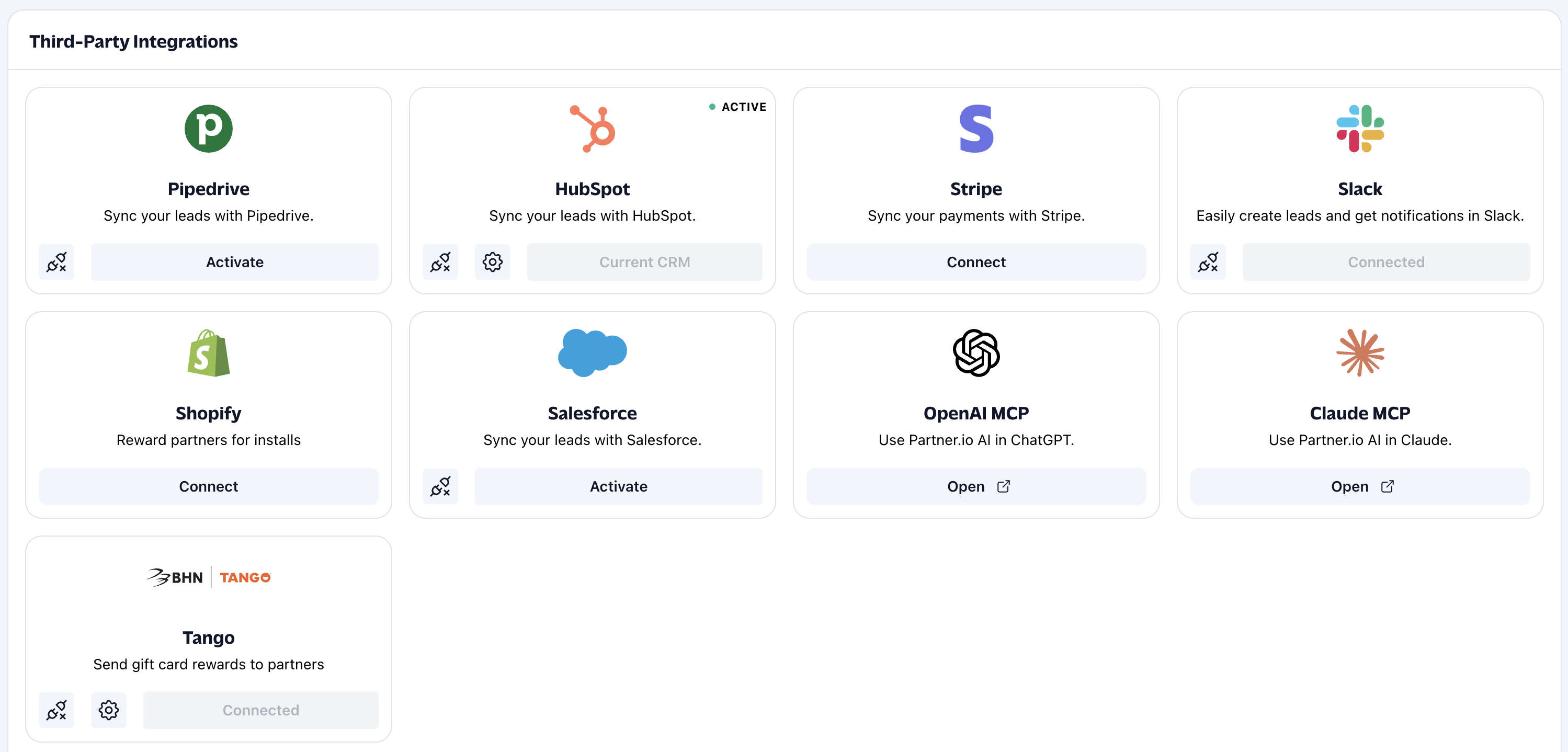
Your account needs the AI assistant feature. When it is on, Claude MCP and OpenAI MCP boxes appear on Integrations. If you do not see them, contact Partner.io to have it switched on.
You need a Claude account that can add connectors from the Claude directory.
You act as yourself. Claude works with the same Partner.io account you sign in with, for your company only.
Connect Claude
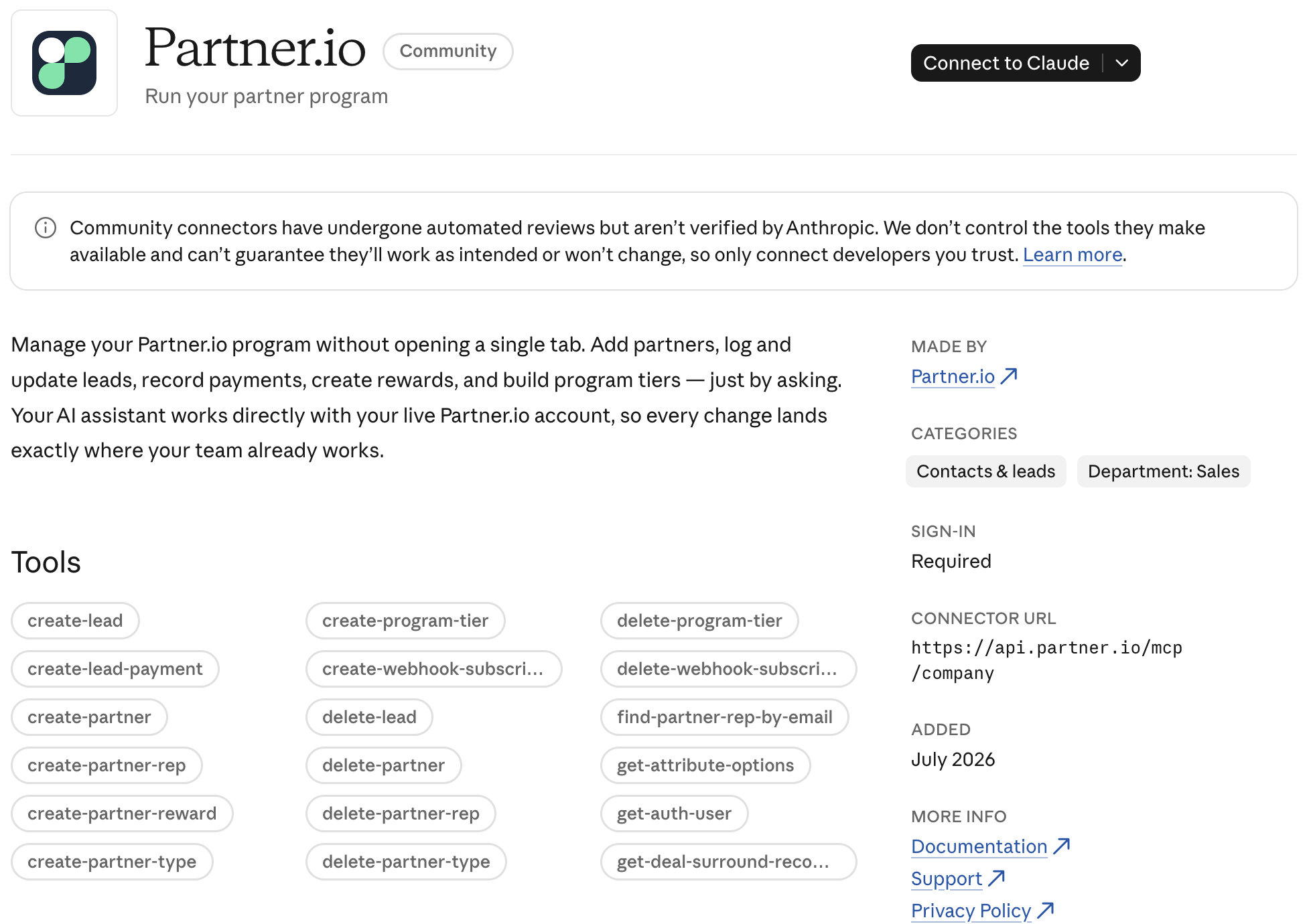
In Partner.io, open Integrations and select Open on the Claude MCP box. This opens the Partner.io connector in the Claude directory.
In Claude, select Connect to Claude.
If you are not signed in to Partner.io in that browser, you are sent to the Partner.io sign-in page first. Sign in as you normally would. You are then returned to finish connecting.
Review the request and approve it.
Once connected, start a chat and ask for something. Claude shows you which actions it is taking.
What you can ask for
Area | What Claude can do |
|---|---|
Partners and Partner Reps | Look up, create, update, and delete Partners and Partner Reps; find a rep by email; upload a logo. |
Partner Types and Tiers | List, create, update, and delete Partner Types and program tiers. |
Leads | List, look up, create, update, and delete leads, and record a payment against a lead. |
Partner Introductions | List and look up the prospects you introduce to Partners, create them one at a time or up to 100 at once, and update or withdraw them. |
Rewards | Create a reward for a Partner Rep. |
Webhooks | See the events you can subscribe to, and list, create, update, and delete webhook subscriptions. |
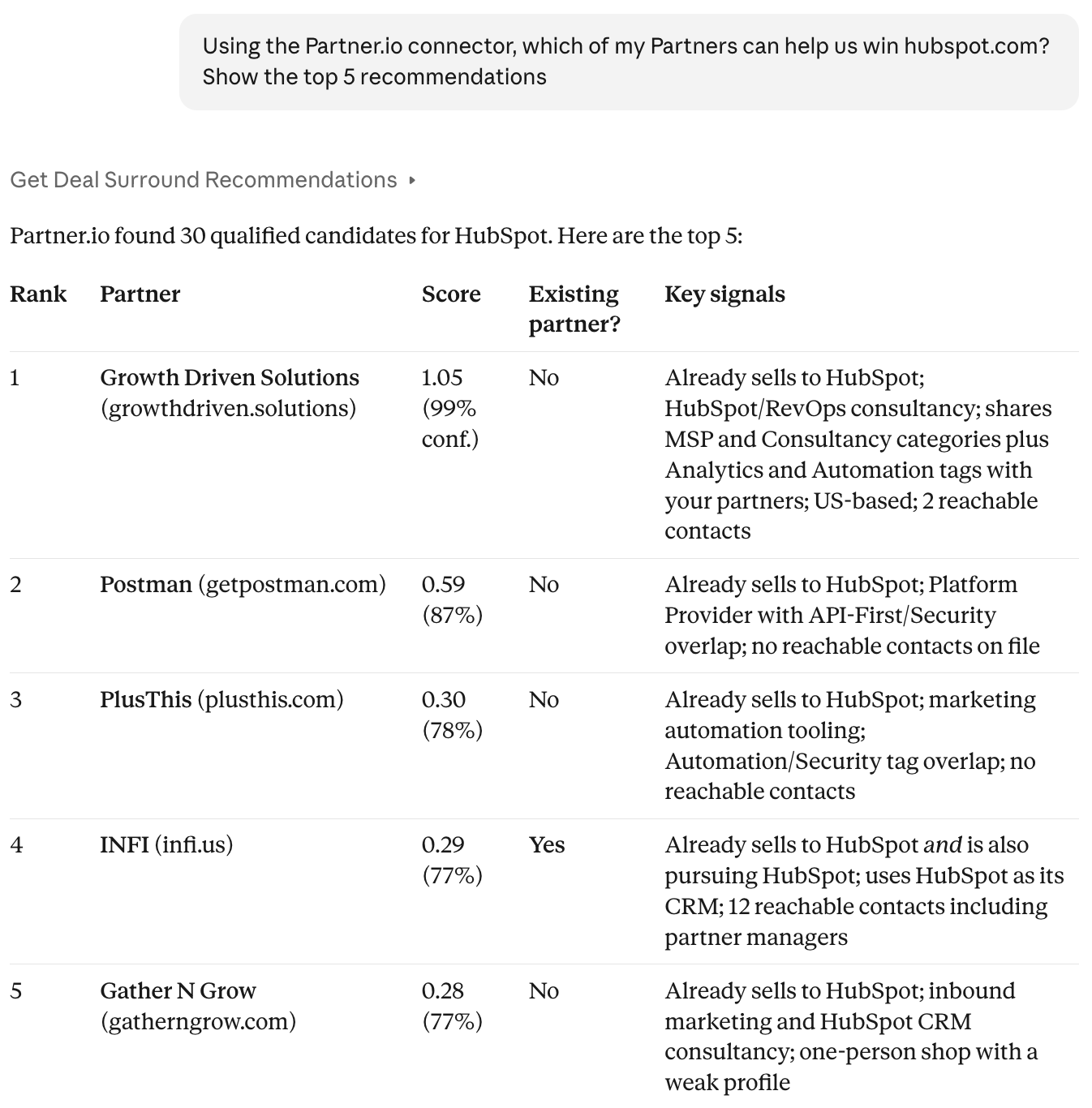
Deal Surround | Given a target account's domain, rank the companies best placed to help win it, flag which are already your Partners, and explain the fit. |
Your team | See who you are signed in as and who else is on your account. |
Some tools only appear when the matching feature is on for your account. If Claude says a tool was not found, that feature is not enabled — contact Partner.io.
Example requests
"Which Partners are in the Gold tier?"
"Introduce Acme Inc to BigBoy Agency. The contact is [email protected]."
"Which of my Partners can help us win meridianlabs.com?"
"Which webhook events can I subscribe to?"
Partner Introductions versus leads
The two are easy to mix up, and Claude is told the difference:
A lead is a prospect a Partner refers to you.
A Partner Introduction is a prospect you introduce to a Partner. The Partner Rep accepts or rejects it.
Through Claude you can create, edit, and withdraw an introduction. Accepting one is the Partner's decision and cannot be set from here.
Changes are real
Claude acts on your live program. Creating a Partner Rep sends them an invitation, introducing a prospect to a Partner emails the rep, and deleting a record deletes it. Claude's apps ask you to approve deletions, but they may not ask before creating or editing something, so read each request and result carefully.
When a request leaves out something needed, such as which Partner Type a new Partner belongs to, Claude infers it only when it is obvious from the conversation. Otherwise it asks you to choose.
Limits
Claude stays within partner data, leads, webhooks, and Deal Surround. It will decline anything else.
You can only reach your own company's data.
Payments created in another currency are shown in your company's default currency.
Disconnect
Remove the Partner.io connector in Claude's connector settings. Claude can no longer act on your account until you connect again.
FAQ
Does Claude see data from other companies? No. Every request is limited to the company of the account you signed in with.
Do I need to sign in to Partner.io every time? No. Once connected, Claude keeps the connection. If it expires, Claude asks you to connect again.
Can I use another AI assistant? Partner.io also appears as an OpenAI box on the Integrations page. This article covers Claude.