

Partner.io Portal in Claude
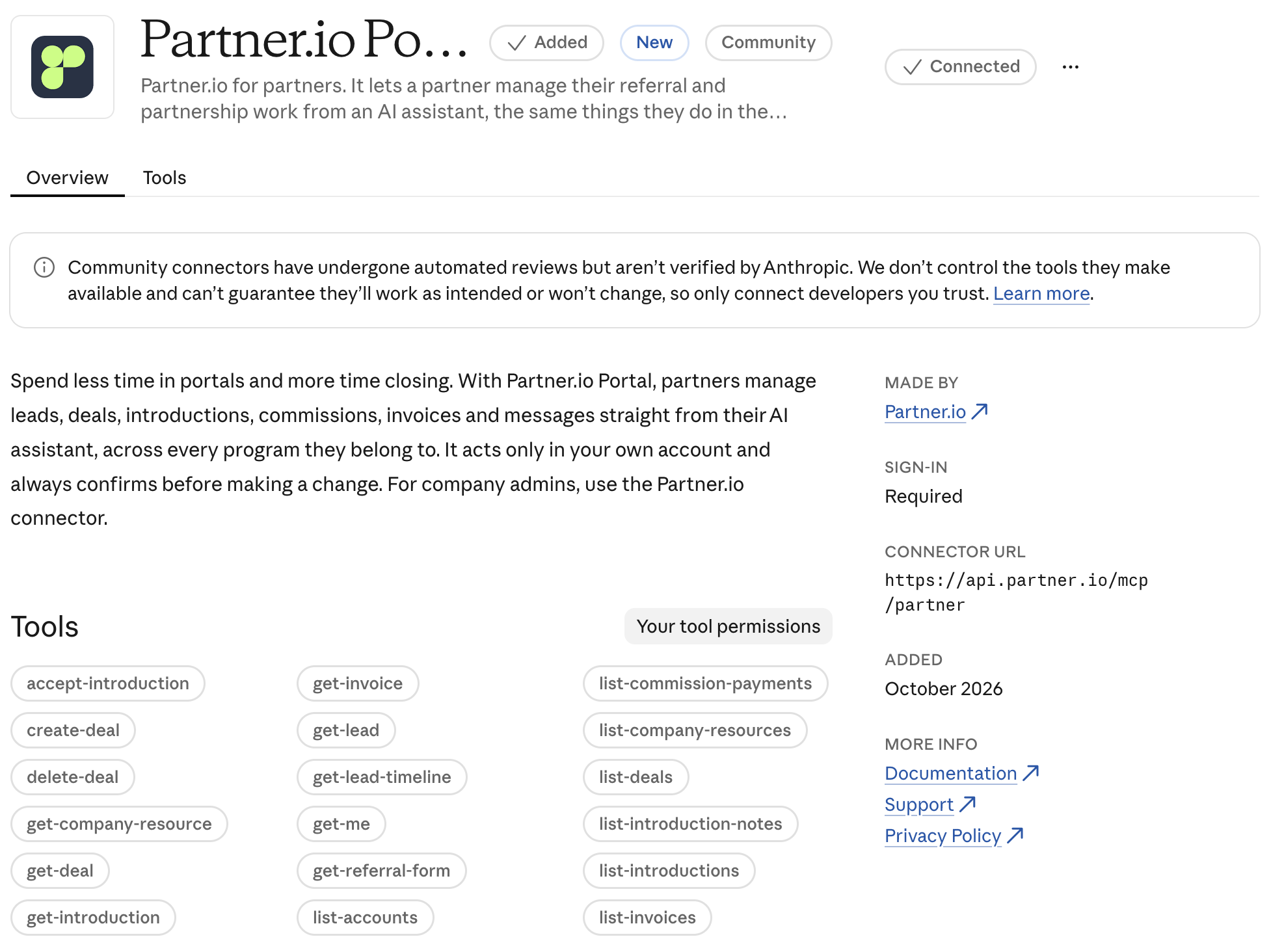
Connect Claude to the partner programs you belong to and do from a chat what you would otherwise do in the partner portal: refer a lead, check where a deal stands, accept a Partner Introduction, or see what you have earned.
This article is for Partners. If you run a program and want Claude to help manage it, see Partner.io in Claude.
Before you start
The program you belong to must have turned the AI assistant on for its Partners. If it has not, that program shows up as unavailable once you connect. Ask the program's team to enable it.
Use the email address you are a Partner with. If you belong to several programs under one email, they all appear in the same connection.
Accounts protected with two-factor authentication cannot be used yet. They appear as unavailable and cannot be switched to.
Connect Claude
In Claude, open the Partner.io Portal connector in the connectors directory and add it. The button reads Sign in to add until you are signed in to Claude.
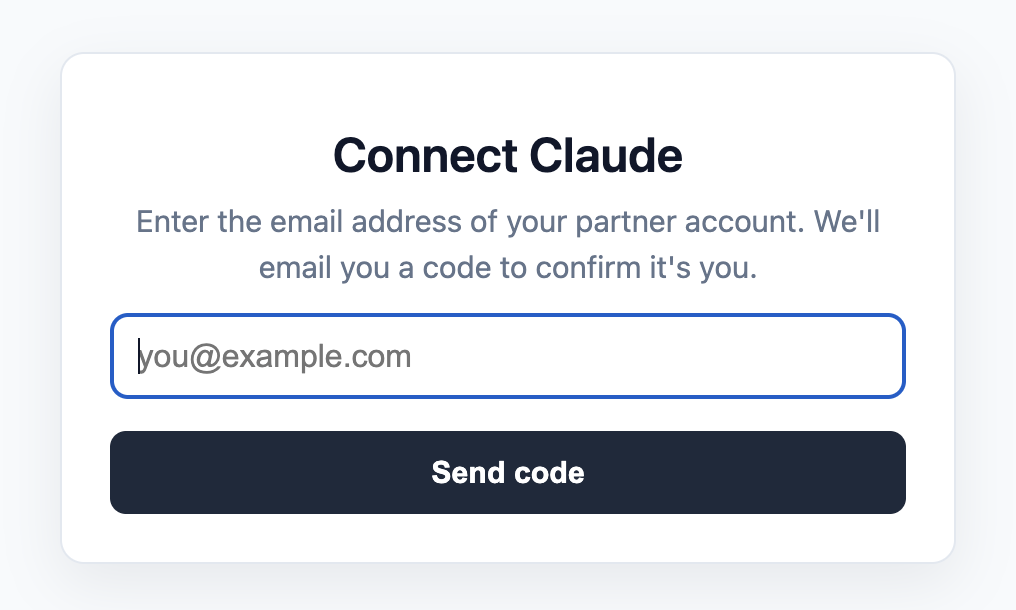
Enter your email address. You always see the same confirmation, whether or not the address belongs to a Partner.
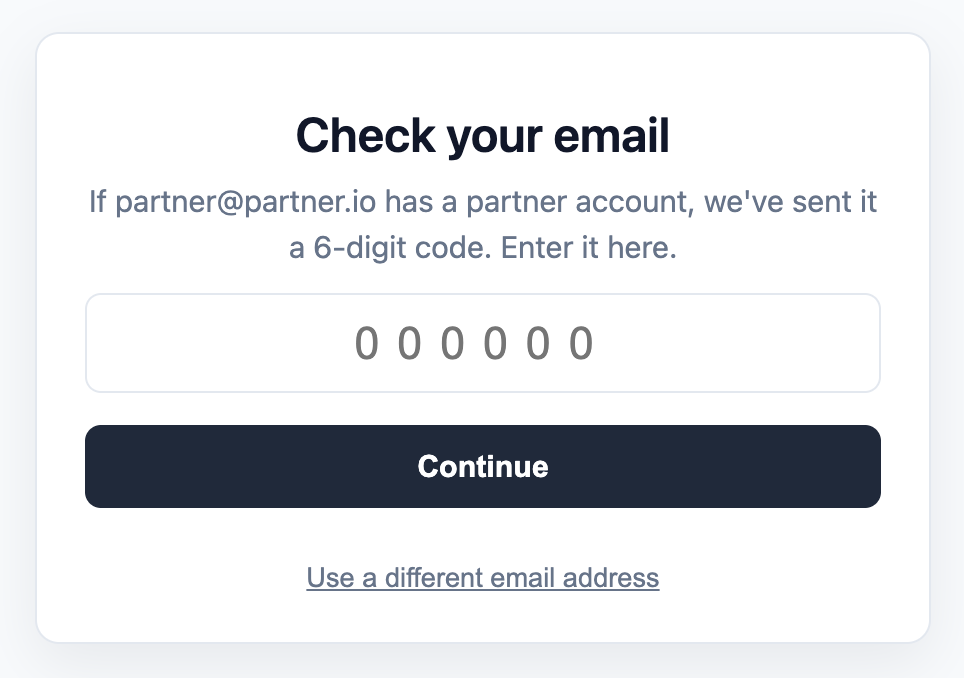
Check your inbox for an email from Partner.io with a six-digit code. Enter it within 10 minutes. You get five attempts, and a code works once.
Review the consent screen, which names you and says the assistant can list your accounts and act in one program at a time, then approve.
You do not sign in again to reach another program. You choose which one to work in from the chat.
Choosing a program
You are a Partner in each program separately, one account each. Claude works in one account at a time.
If you belong to a single available program, it is selected for you.
If you belong to several, ask Claude "which programs am I in?" and then tell it which one you mean, for example "switch to Acme's program". Claude never switches on its own.
Switching affects only that Claude connection. Claude on your laptop and another assistant can be in different programs.
After any change, Claude tells you which program it was made in.
What you can ask for
Area | What Claude can do |
|---|---|
Your accounts | List your programs, switch between them, see your profile, and update your name, phone, LinkedIn, bio, or country. |
Leads | See the program's referral form, refer a lead, list and open your leads, edit a lead's name and fields the program lets you edit, and read the notes and timeline the program shares. |
Deals | Register a deal, list and open your deals, update them, and delete one you registered. |
Partner Introductions | List and open the prospects a program hands you, read the notes shared on them, and accept or reject them. |
Referral links | See your links with their clicks, leads, revenue, and commission. |
Messages | Read and send messages to the program about a lead, deal, or introduction. |
Notifications | List your notifications and mark one read. |
Resources | Browse the files, folders, and links the program shares with you. |
Earnings | List your commissions and spiffs, and your invoices where the program shows them to partners. |
If you are an admin of your partner account, lists of leads, deals, and invoices include your colleagues'.
Example requests
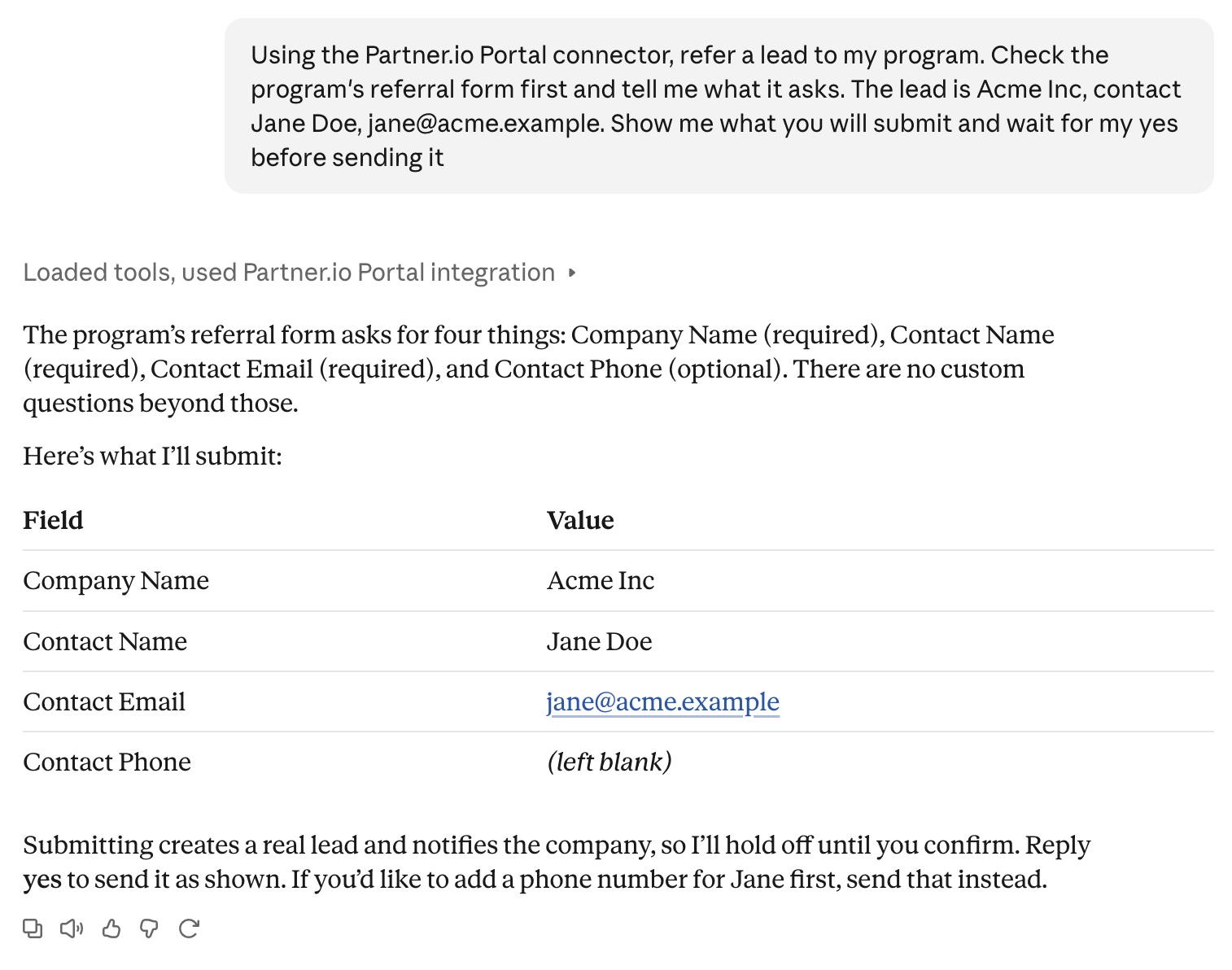
"Refer Acme Inc to the Acme program. The contact is Jane Doe, [email protected]."
"What is the status of my deals with BigBoy?"
"Accept the introduction from Meridian."
"What commissions are still pending?"
Leads versus Partner Introductions
A lead is a prospect you refer to a program.
A Partner Introduction is a prospect a program hands to you. You accept or reject it.
Changes are real
Claude acts in your real account. A referred lead or registered deal notifies the program, a message to the program cannot be taken back or edited, and an accepted or rejected introduction changes its status for the program to see. Claude tells you the program and what will change, and waits for your yes before it acts.
Each program asks its own questions when you refer a lead, so Claude reads that program's form first and asks you for anything it needs. Creating the same lead or deal twice creates two, so if you are unsure whether something went through, ask Claude to check your list rather than repeating it.
Limits
Files cannot be downloaded through Claude. Open them in the partner portal.
Message attachments cannot be sent or read through Claude. They show only as a flag. Use the portal.
Rejecting an introduction records no reason.
Claude cannot change your email, role, or status.
Invoices only appear where the program lets Partners see them.
Disconnect
Remove the connector in Claude's connector settings. The connection ends and Claude can no longer act for you until you connect again.
FAQ
Why does a program show as unavailable? Either the program has not turned the assistant on for Partners, your account is protected with two-factor authentication, or the account is no longer active. Claude tells you which.
Can Claude see another Partner's information? No. It reaches only your own accounts, and only the one you are acting in.
Is the code email from my program? It comes from Partner.io, not from a program, because one email address can belong to several programs.