

Events are the webinars, in-person meetups, and workshops you host to engage your partners. You can build a full event on Partner.io — with a branded page, sessions, tickets, and a registration flow — or log an event you ran elsewhere so you can attribute the partner leads it drove.
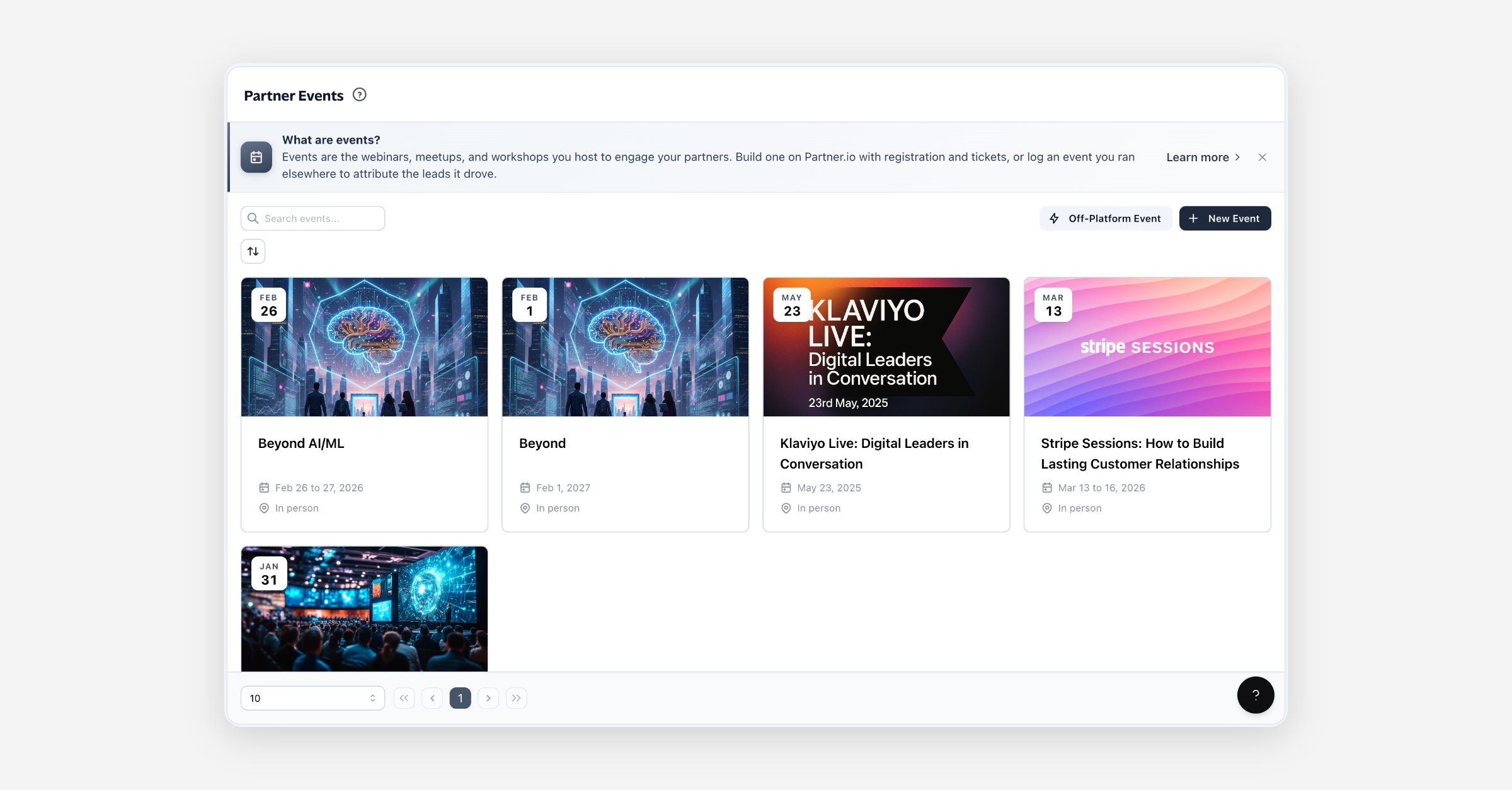
What an event is
An event brings your partners together around a moment: a product webinar, a regional meetup, a partner enablement workshop. Each event has its own page, its own registrations, and its own place in your reporting, so you can see which events engaged partners and which drove leads.
There are two kinds:
Hosted on Partner.io — a fully built event with a public page, sessions, tickets, and registration. You invite partners, they register, and you run it end to end on the platform.
Off-platform — an event you ran somewhere else. You log the essentials (title, dates, and a link) so the leads it generated can be attributed back to it, keeping every event in one place.
Before you start
Events work best once you have partners in your program to invite. You can create an event without partners, but inviting them is what turns an event into partner engagement — so add your partners first if you haven't yet.
Creating an event
From the Events page, choose New Event to build one on Partner.io, or Off-Platform Event to log one you ran elsewhere.
Host on Partner.io
Select New Event and give it a title, dates, timezone, and a description.
Add a cover image and location (or a webcast link for an online event).
Save to create the event as a Draft, then build it out from the event's tabs.
When it's ready, Publish it to open registration and share the page.
Once created, an event opens to its builder, where each tab owns one part of the event:
Tab | What it's for |
|---|---|
Overview | The event's summary and status at a glance. |
Details | Title, dates, timezone, description, images, and location. |
Sessions | The agenda — individual talks or slots within the event. |
Tickets | Ticket types, pricing, and availability. |
Speakers | The people presenting. |
Sponsors | Sponsoring organizations shown on the page. |
Attendees | Who's registered; import an existing list if you have one. |
Design | The look of the public event page. |
Invitations and reminders sent to invitees. |
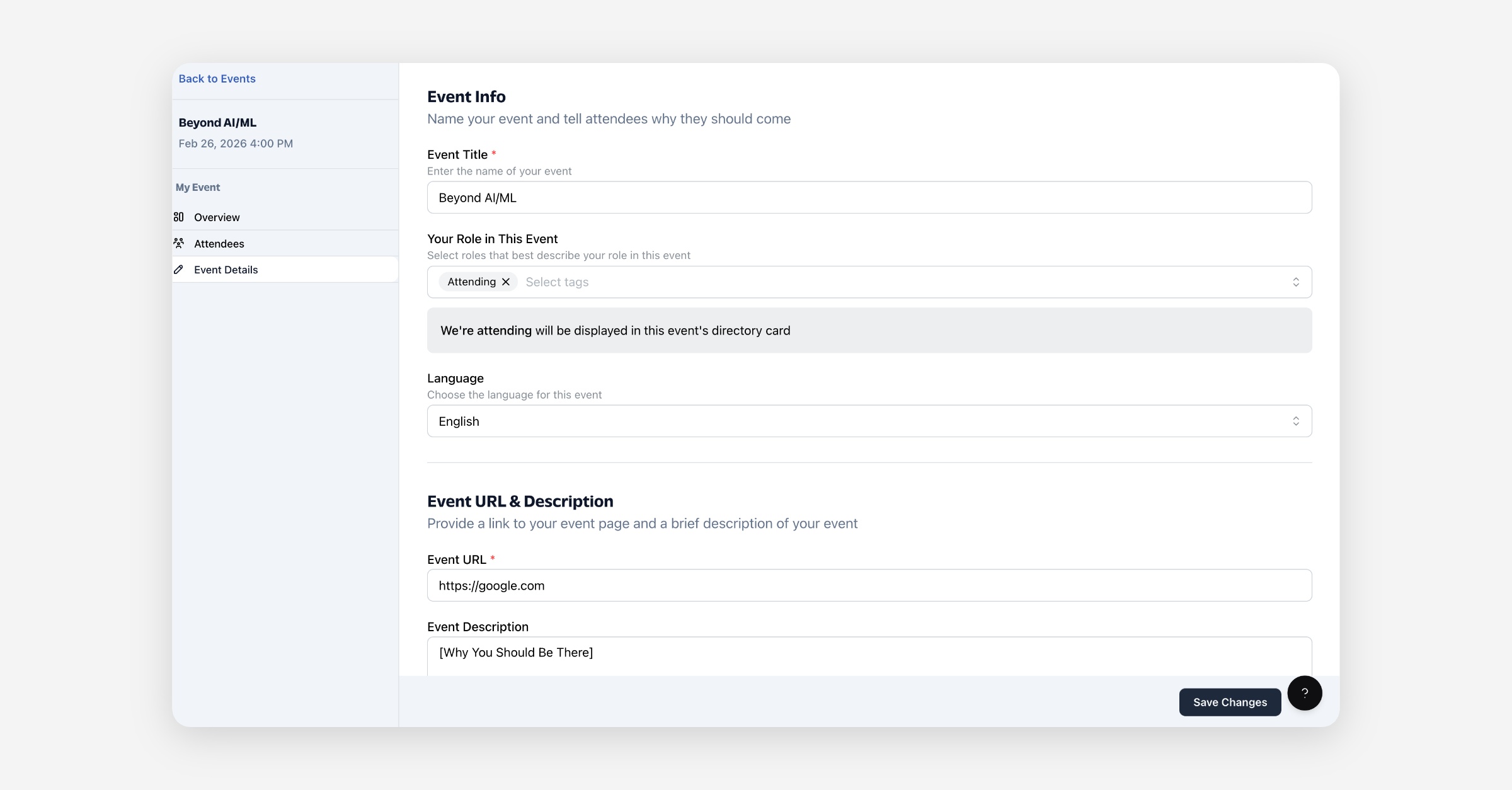
Log an off-platform event
Choose Off-Platform Event, add the title and dates, and paste the link to where the event lives. Off-platform events are published as soon as you save — there's no page to build — and the leads they drive can be attributed back to the event.
Lifecycle
An event moves through a small set of states:
Draft — created but not yet live. Build and edit it freely; it isn't visible to invitees.
Published — live and open for registration. Off-platform events go straight here.
Past — the event's end date has passed. It stays in your list for reporting.
An event can also be Canceled before it runs. You can unpublish a published event to take it back to a draft while you make changes.
Inviting partners
From a published event, invite partners so they can register and attend. Invitations track who's been asked, who's accepted, and who's declined, so you know your expected turnout.
Managing events
On the Events page you can:
Search and sort your events by start date or when they were created.
Preview an event's public page before or after publishing.
Delete an event. Deleting moves it out of your active list; deleting an already-deleted event removes it permanently.
FAQ
Do I need partners before creating an event? No — you can create an event at any time. But inviting partners is what makes an event useful for your program, so add partners first if you can.
What's the difference between a Partner.io event and an off-platform one? A Partner.io event has a full page, sessions, tickets, and registration you manage on the platform. An off-platform event is a lightweight record of an event you ran elsewhere, kept so its leads can be attributed to it.
Can I edit an event after publishing it? Yes. Unpublish it to return it to a draft, make your changes, and publish again.
Where do leads from an event show up? Leads attributed to an event flow into your Leads, where you can track their status and the commission owed to the referring partner.