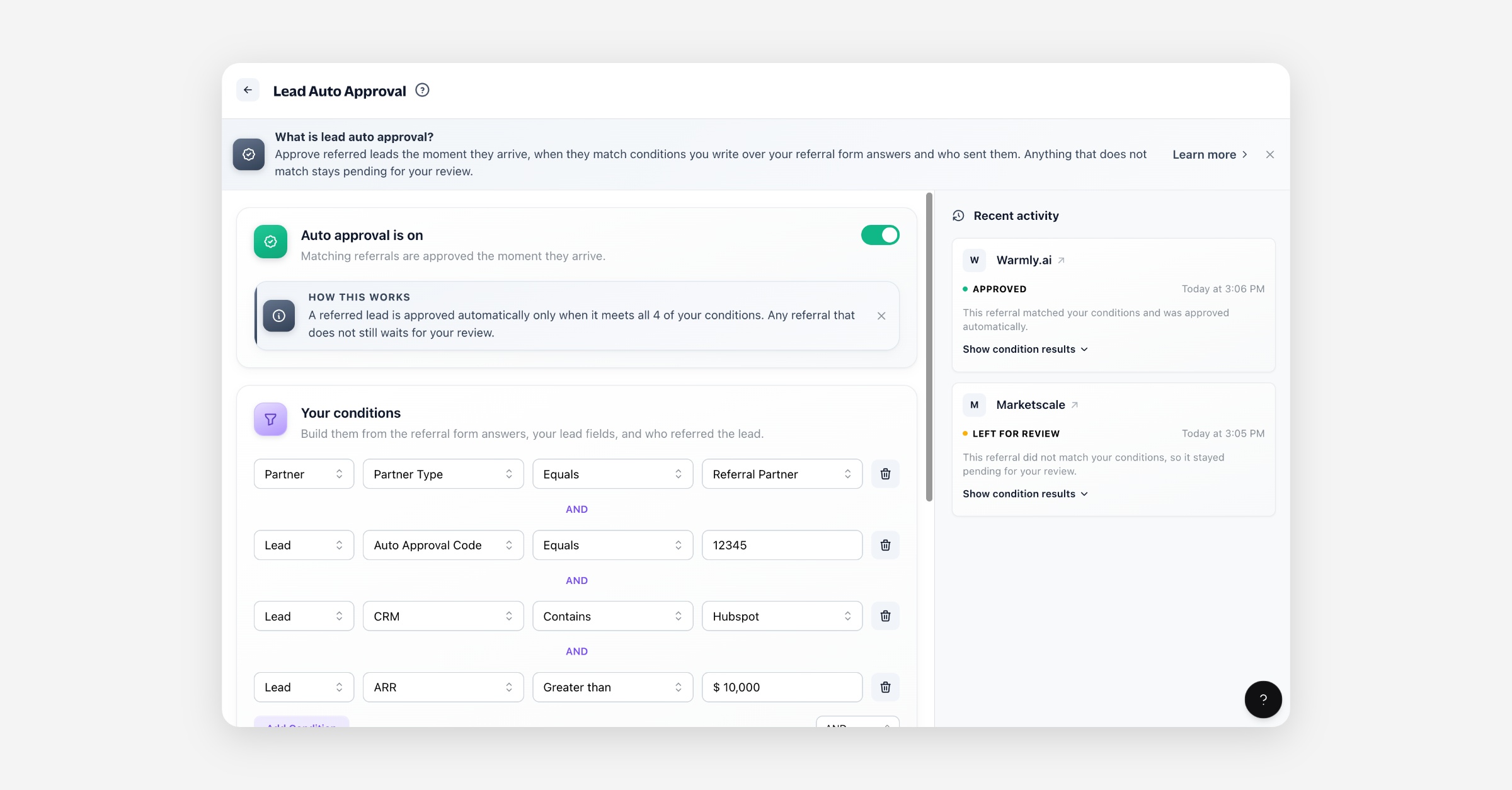
A lead your partners refer arrives as Pending and sits there until someone on your team moves it on. Auto approval writes that decision down as a set of conditions, and applies it the moment a referral arrives. Any referral that does not match stays pending for your review.
What it does, exactly
When a partner refers a lead — through the referral page, quick refer, or the referral widget — auto approval runs once, straight away, and only for those referred leads. A lead you add yourself, import, or sync in from your CRM is never touched by it.
If the referral matches your conditions:
the lead moves from Pending to Approved without anyone on your team doing anything,
the referring partner is told their lead was approved, exactly as they would be after a manual approval,
everything else that hangs off a lead being approved fires the same way: rewards you run on lead approval, and a CRM sync that sends approved leads.
If it does not match, nothing happens to the lead: it stays pending in your leads list, and your team gets the usual new-lead notification either way.
It can only approve, never reject
A condition is a reason to let a referral in. There is no rule that turns one away — a referral that does not match simply waits for a human. Unlike a partner approval, a lead's status stays in your hands afterwards: you can still move an auto-approved lead through your pipeline, or change its status by hand, exactly as if you had approved it yourself.
Writing conditions
Conditions are built from three things:
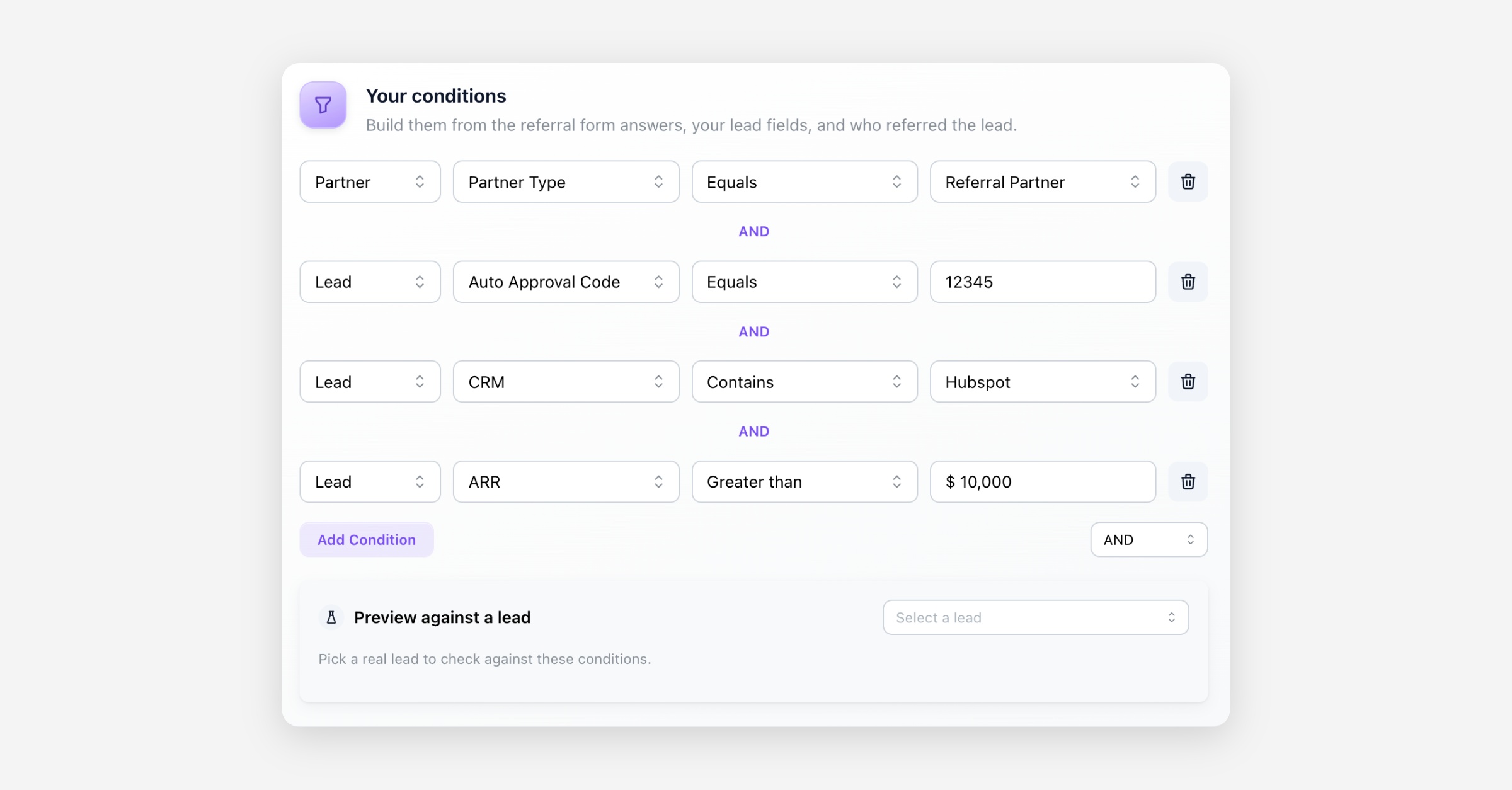
The lead — your own lead fields. A field you put on the referral form carries the referrer's answer, which is what makes this useful: you approve on what they told you. A field you keep internal is still offered, but a brand-new referral has no value for it.
The partner who referred it — their partner type and partner fields. These read the partner's live record, so a rule like "referred by a Reseller" works from the first referral.
The individual partner rep — the person who sent it.
A fresh referral has no history
The lead record also offers properties that build up over a lead's life — Total Revenue, Total Commission, Deal Value, Pipeline Stage and so on. A referral has just arrived, so these sit at their starting values and will not tell fresh referrals apart. Build your conditions from the referral form answers and the referring partner instead.
Test before you turn it on
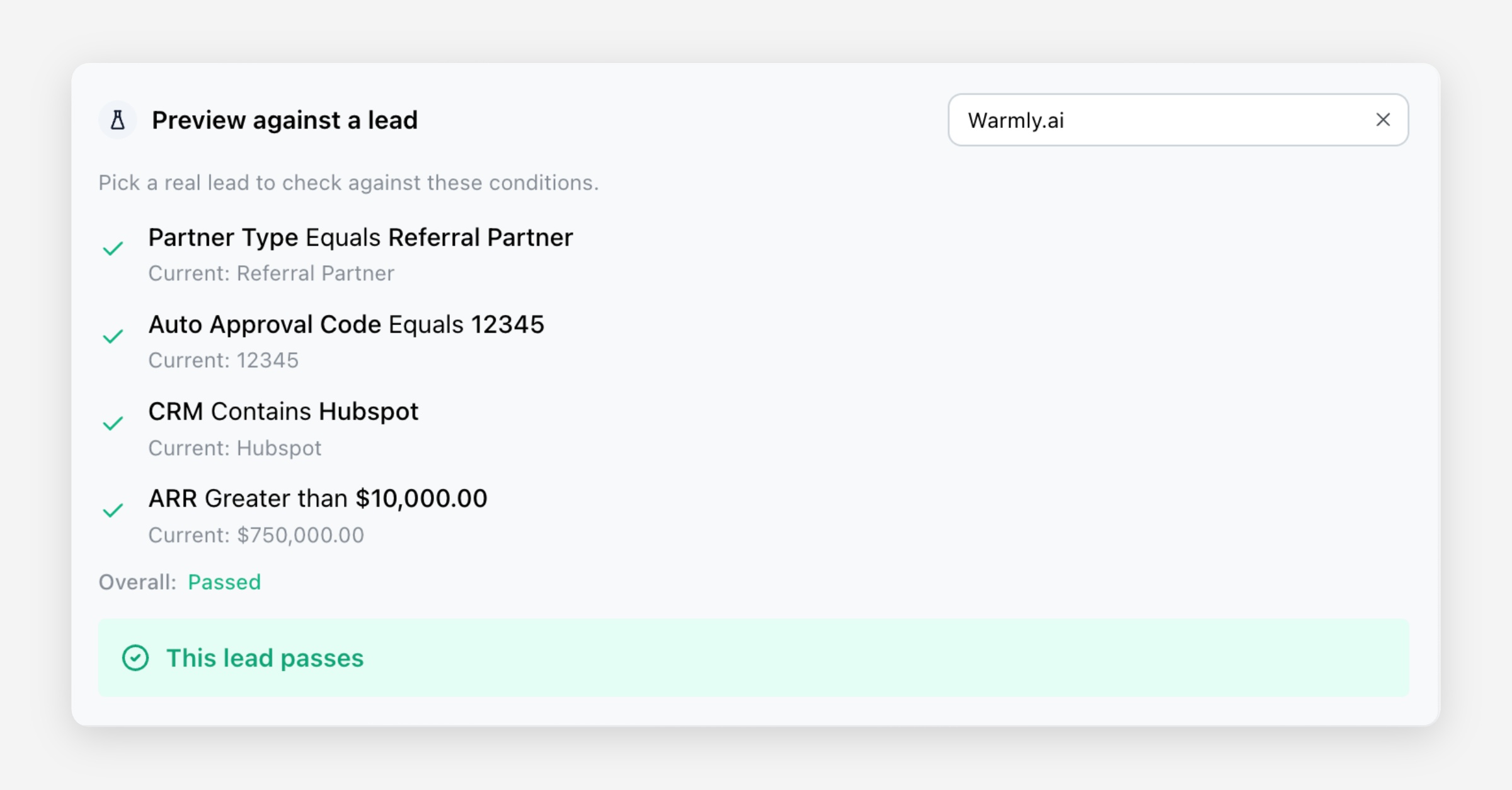
Underneath your conditions is a preview: pick a real lead and see whether it would pass. It changes nothing about that lead — it just shows you the answer.
Bear in mind that an existing lead may have real history behind it, so a condition over revenue or pipeline stage behaves differently for it than it will for a brand-new referral.
You can build and test conditions with auto approval switched off. Nothing happens to a real referral until you turn it on.
With no conditions, everything gets in
Auto approval turned on with an empty condition list approves every referral that arrives. We warn you before that can happen, and the page keeps showing a warning for as long as it is the case — but it is worth stating plainly, because it is also the state you reach by deleting your last condition while auto approval is on.
Seeing what it has done
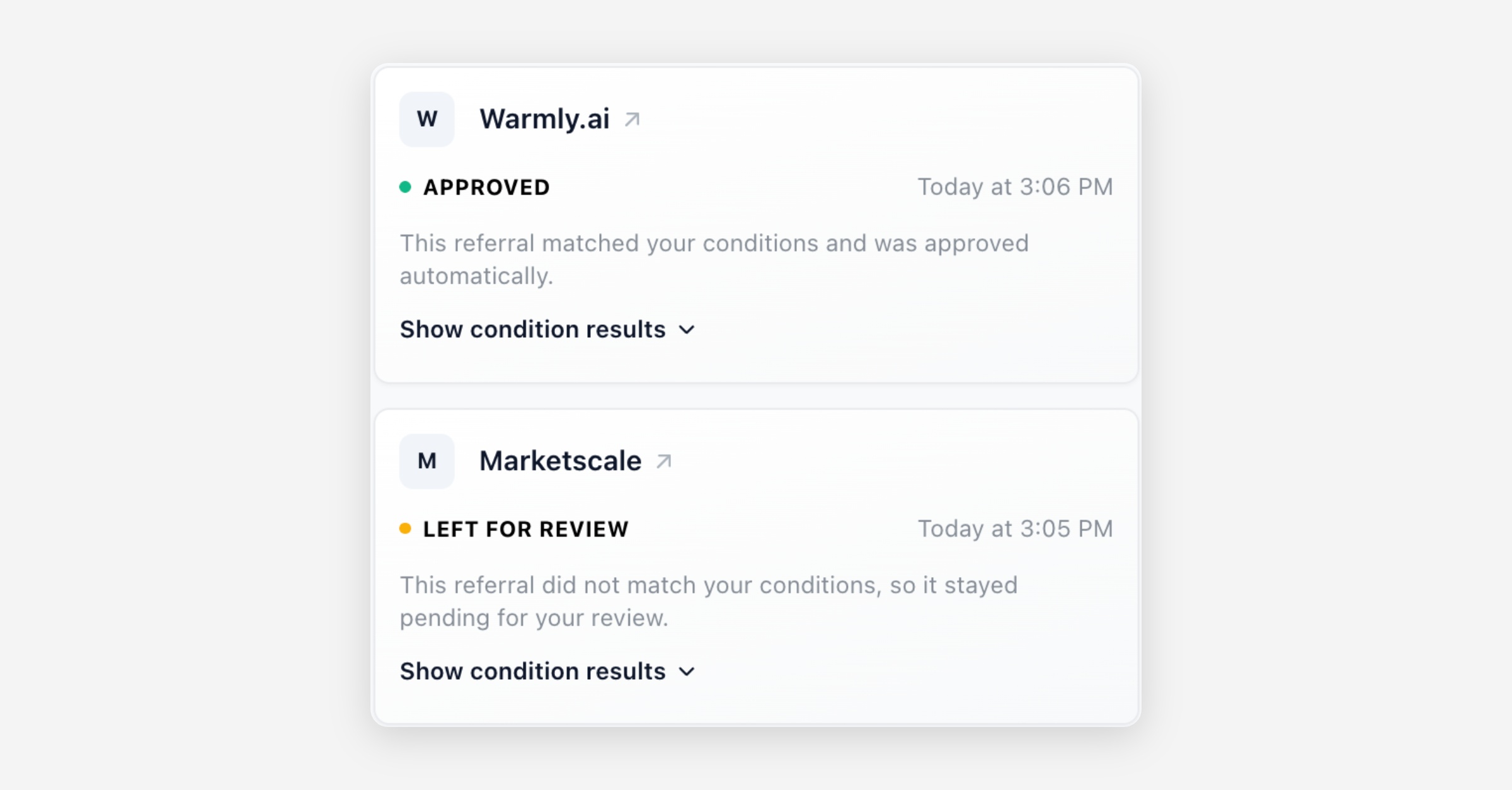
Every run is recorded. The most recent ones are listed beside your conditions, each showing what happened and why — including the referrals left for review, with the conditions they failed. Open one to see the individual condition results.