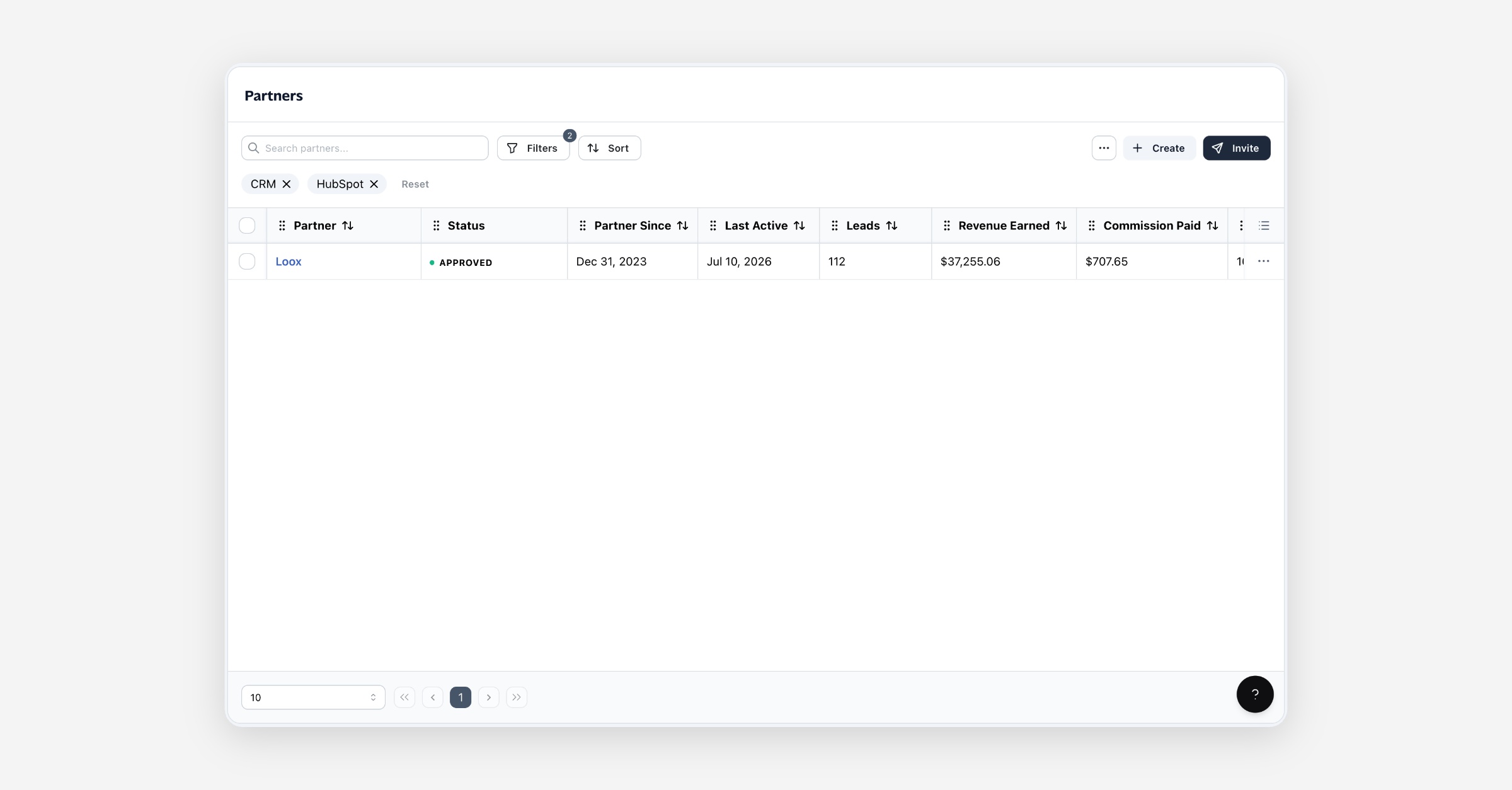

Partner attributes are custom labels you apply to partners so you can segment, filter, and rank them around the dimensions that matter to your program — region, services offered, budget, or anything else you track. Define an attribute once, tag your partners with it, then filter your Partners list, your public directory, and your analytics by it.
Before you start
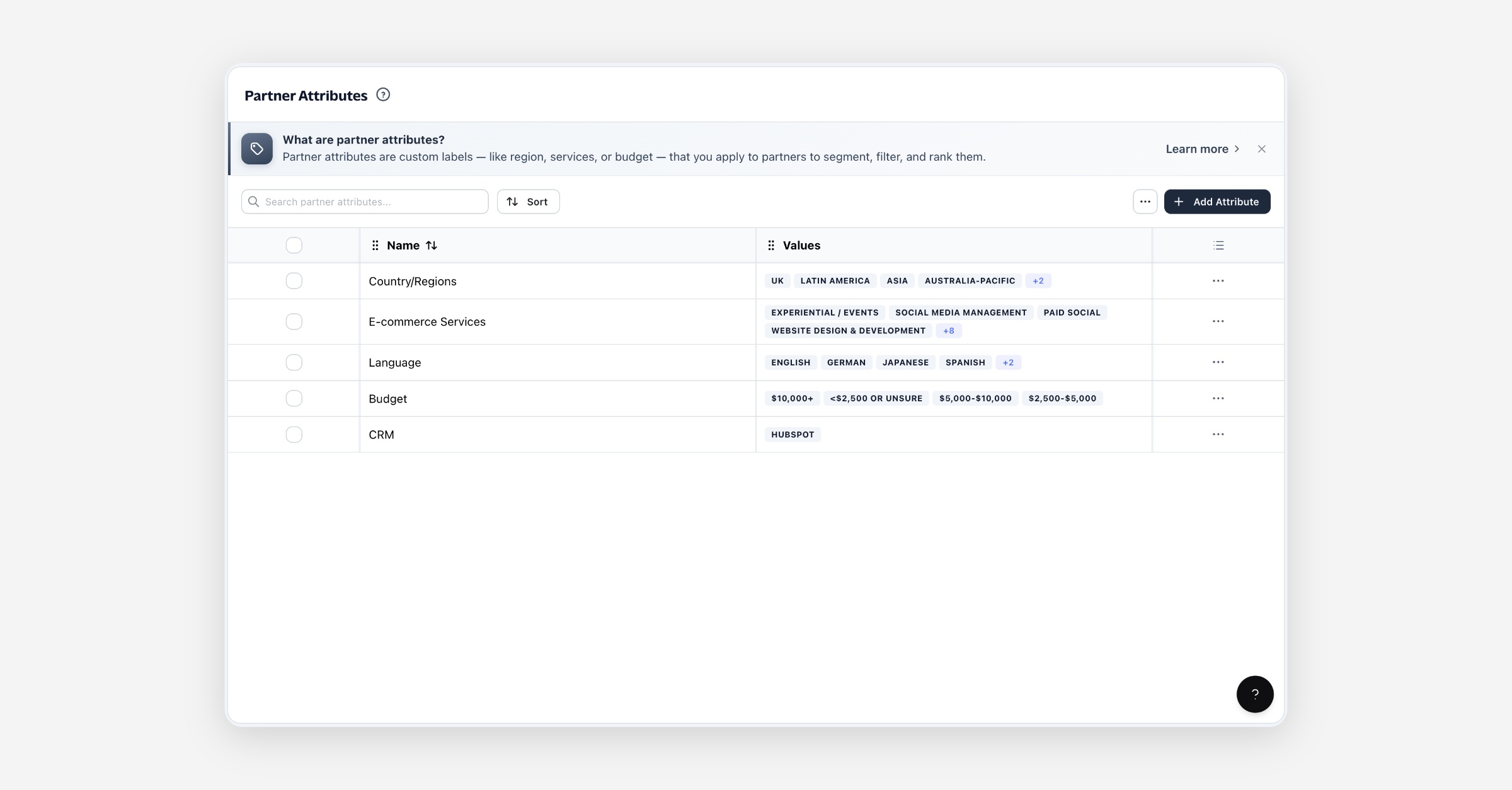
Partner Attributes live under Partners → Partner Attributes.
You can define attributes at any time — you don't need partners yet. They'll be ready to apply the moment partners join.
Attributes you create are private to your account. A few built-in attributes are shared across Partner.io (see Built-in attributes).
Attributes and values
An attribute has a name and one or more values:
Name — the dimension you're labelling by, e.g. Region, Services, Budget.
Values — the options a partner can be tagged with under that name, e.g. EMEA, North America, Asia.
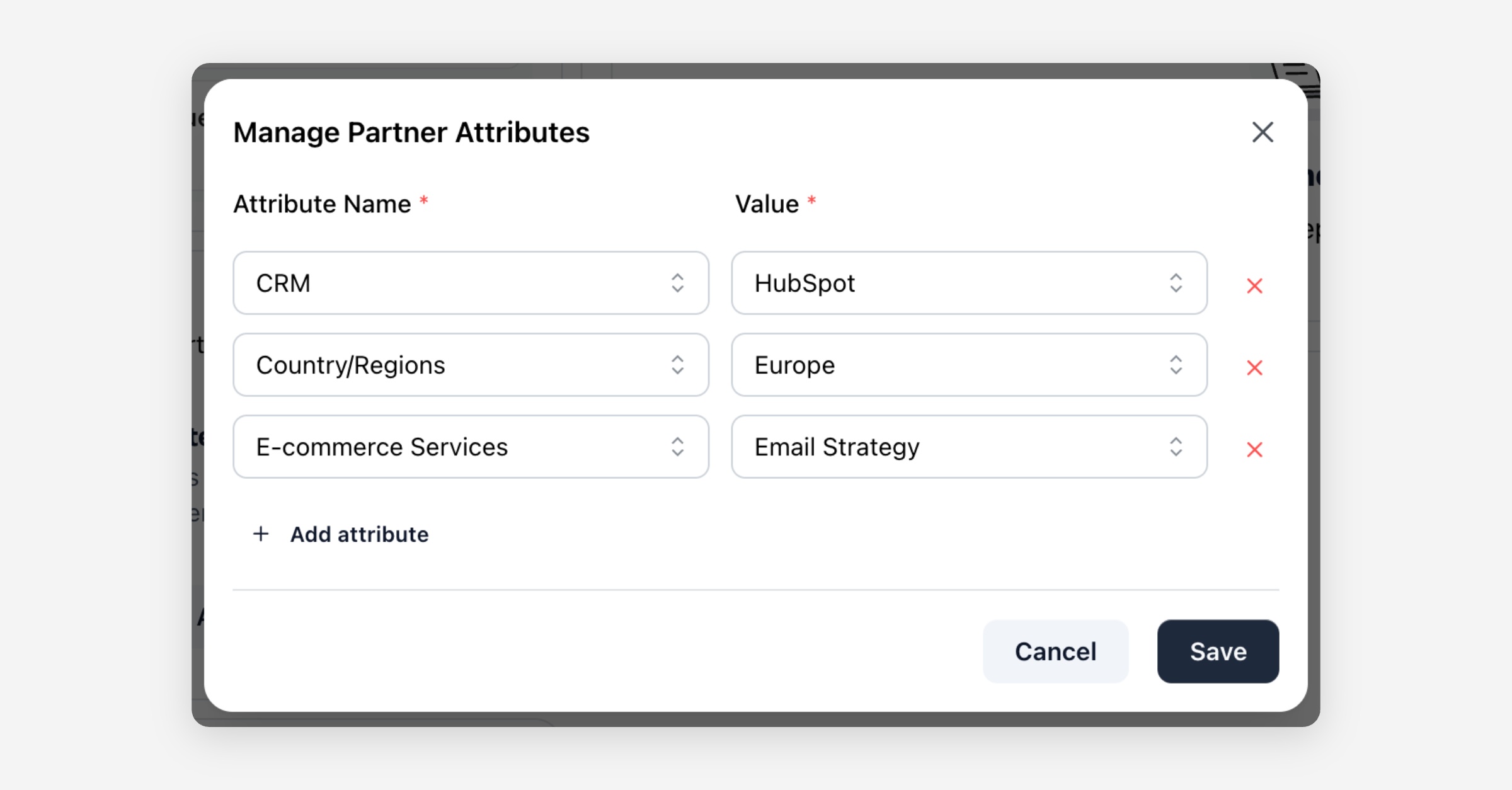
A partner can carry more than one attribute at a time — for example Region: EMEA and Services: SEO together.
Creating an attribute
On the Partner Attributes page, choose Add Attribute.
Enter an Attribute Name.
Add one or more Values. Use Add value for as many as you need; remove any with the ✕ beside it.
Choose Create. The attribute appears in the list, ready to tag partners with.
![screenshot: the Add Partner Attribute dialog]
To change an attribute later, open its menu and choose Edit — rename it, add values, or remove values you no longer use.
Built-in attributes
Partner.io includes a few starter attributes — region/country, e-commerce platform, e-commerce services, language, and budget — so common segments are ready to use out of the box. Built-in attributes:
Can't be edited. Their values are shared across Partner.io.
Can be hidden. If a built-in attribute isn't relevant to your program, delete it to hide it from your account. This hides it for you only; it doesn't affect anyone else.
Add your own attributes alongside the built-in ones at any time.
Tagging partners
There are several ways a partner gets tagged:
From a partner's page — open a partner and use Add Attribute / Manage Attributes to apply or change its values.
Several at once — on the Partner Attributes page, open an attribute's menu and choose Tag Partners, pick a value, then select the partners to apply it to.
On import — when you import partners with attribute values mapped from your file, they're tagged as they're created.
Where partner attributes work for you
Beyond organizing your list, partner attributes power a few places in your program:
Partners list — filter by Attribute Name and Attribute Value to narrow to a segment. From an attribute's menu, View Partners jumps straight to the Partners list filtered by it.
Public partner directory — visitors can filter your published directory by attribute to find the right partner.
Automations — automation conditions can target partners by their attributes.
Analytics — the Analytics tab ranks partner attributes, so you can see which segments perform.
Deleting an attribute
Open an attribute's menu and choose Delete to remove it and all of its values, or select several and delete them together. Deleting an attribute you created removes its tags from your partners. Deleting a built-in attribute hides it from your account without affecting other accounts.
This can't be undone.
Permissions
Partner Attributes are managed from your admin account. The feature isn't plan-gated — it's available to every account.
FAQ
Do I need partners before I can create attributes? No. Define attributes whenever you like; they apply to partners as soon as you have them.
Can a partner have more than one attribute? Yes. Tag a partner with as many attributes and values as you need.
Can I edit a built-in attribute? No — built-in attributes can't be edited, but you can hide any you don't need and add your own alongside them.
Where do partner attributes show up? On each partner's page, as filters on the Partners list and your public directory, in automation conditions, and in the Analytics tab's attribute ranking.
A worked example
Say you want to organize partners by what they specialize in.
Create an attribute Services with values SEO, Paid Social, and Email.
Open a few partners and tag each with the right value, or use Tag Partners to label several at once.
On the Partners page, filter by Services: SEO to see just those partners — or let directory visitors filter by it to find the right fit.