

Partner agreements are the documents your partners e-sign before they become active in your program. When agreements are turned on, a partner e-signs the agreement assigned to them before they can start referring, sharing links, or earning commission. Signed copies are stored in your dashboard and in each partner's portal.
Agreements are off by default — nothing changes for your partners until you create a document, add your signing details, and turn it on.
Prerequisites
You can create and edit agreement documents at any time, with nothing else set up.
To turn agreements on, you need at least one agreement document.
Getting started
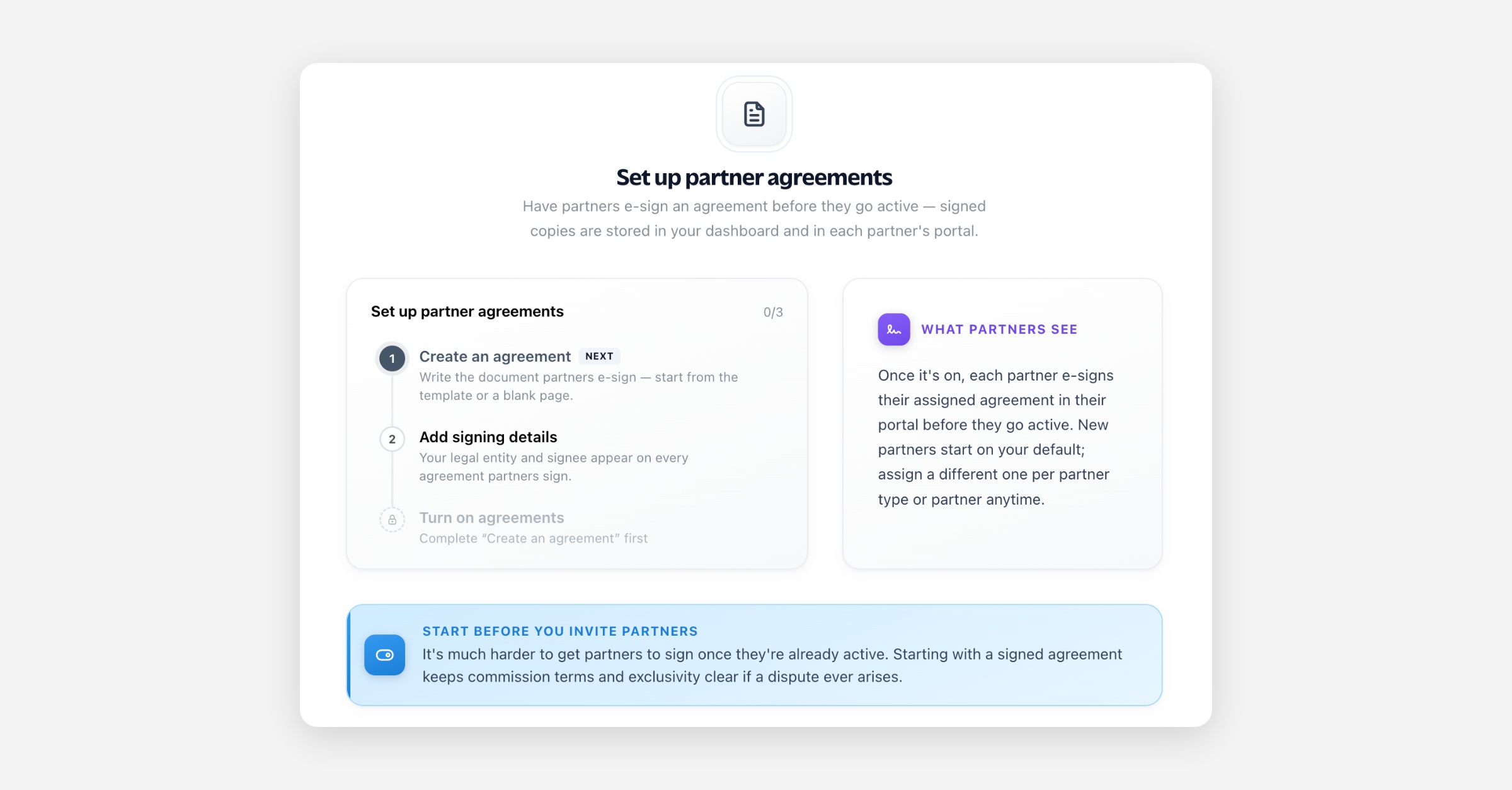
Three steps take you from nothing to live. The Agreements page walks you through them:
Create your first agreement. Start from the built-in template or a blank document, then edit the content. The first agreement you create automatically becomes your company default.
Add your signing details. Your legal entity and signee are inserted into every agreement wherever the company variables appear, so each partner sees who they are contracting with.
Turn agreements on. Switch Partner agreements on from the page header. Partners then e-sign before they go active.
The Agreements page
Your agreements — a searchable grid of your agreement documents. Each card is an editable document; open one to edit it, or create a new one. Your company default carries a badge.
Signing — two settings:
Signing mode — whether every partner rep signs individually, or one rep signs for the whole partner.
Signing details — the legal identity shown on your agreements. Use Preview to see it rendered into your default agreement.
Creating and editing agreements
Create an agreement from the Create agreement button. Choose a starting point:
From the default template — begins with standard agreement content, ready to edit.
Blank — begins with an empty document you write yourself.
Open any agreement to edit its title and content in the editor. Content supports variables — placeholders (company legal entity, signee, partner details, and so on) that are filled in for each partner when the agreement is presented for signing, so one document personalises itself to every partner.
The default agreement
New partners and partner types start on the default agreement. You can change which agreement is the default at any time from an agreement's menu. A couple of rules keep a valid default in place:
An empty agreement can't be made the default.
The default agreement can only be deleted once it's the last one left.
Signing details
Your signing details are your legal identity as it appears on agreements: legal entity name, the person signing on your behalf (signee), country/state, and company address. They're inserted wherever the company variables appear in a document. Changes apply to future signatures; already-signed copies keep the identity they were signed with.
Signing mode
Signing mode decides how a partner's signing status is satisfied:
All reps — every rep at the partner organisation signs individually.
Single rep — one rep (the partner's first admin) signs on behalf of the whole organisation.
Assigning agreements
By default everyone uses your company default, but you can assign specific agreements:
Per partner type — set the agreement a partner type uses, so every partner of that type starts on it (and optionally apply it to existing members).
Per partner — override the agreement for an individual partner.
In bulk — set or reset the agreement for many partners at once.
If an agreement is deleted, anyone using it is moved to your company default automatically.
Turning agreements on and off
On — partners e-sign their assigned agreement in their portal before they go active.
Off — partners go active without signing. Your documents and signing details are kept, so you can turn it back on later without redoing setup.
What partners see
When agreements are on, a partner is prompted to review and e-sign their assigned agreement in their portal before they gain access to the rest of your program. Their agreement is resolved in this order: the agreement assigned to their partner organisation, otherwise your company default. A signed PDF is stored for both you and the partner.
FAQ
Do I have to use agreements? No. Agreements are off until you turn them on; with them off, partners go active without signing.
Can I edit an agreement after partners have signed it? Yes. Editing changes what future signers see — existing signatures reference the content and identity as they were signed.
What happens to partners already in my program when I turn agreements on? They're asked to e-sign their assigned agreement in their portal.
Can different partners sign different agreements? Yes — assign agreements per partner type, per partner, or in bulk. Anyone without a specific assignment uses your company default.
What if I delete the agreement a partner was using? They're reassigned to your company default. Deleting your last remaining agreement turns agreements off for anyone who was using it.